Know what's safe
to spend today.
MoneyBook turns your accounts, bills and budgets into one clear number, and shows where your money goes. No bank linking, no account, fully offline.
One-time purchase · Phone, tablet & Wear OS · No bank linking
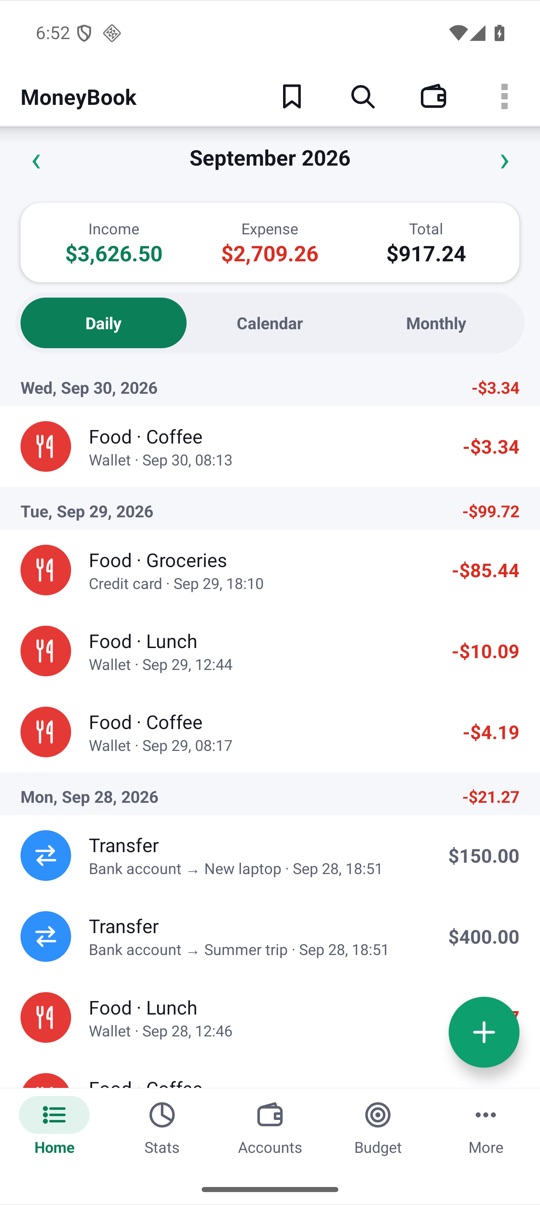
Every coin tracked.
Every bill expected.
Know what's safe to spend.
How it works
Set up once.
Check in daily.
A two-minute setup is all MoneyBook needs to start forecasting.
- 01Add your accountsCash, bank and cards with their balances, your currency and when your budget month starts.
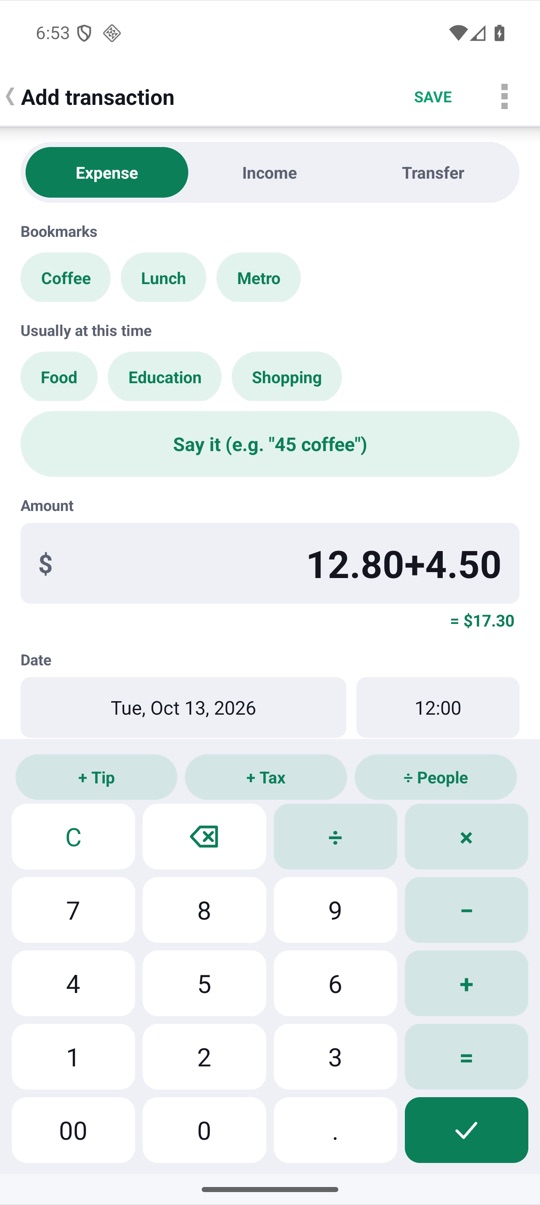
- 02Log in two tapsA calculator keypad, bookmarks for the things you buy often, and quick add from a notification.
- 03Stay aheadSee what's safe to spend today, upcoming card payments and how each budget is doing.
Today
One number
for every day.
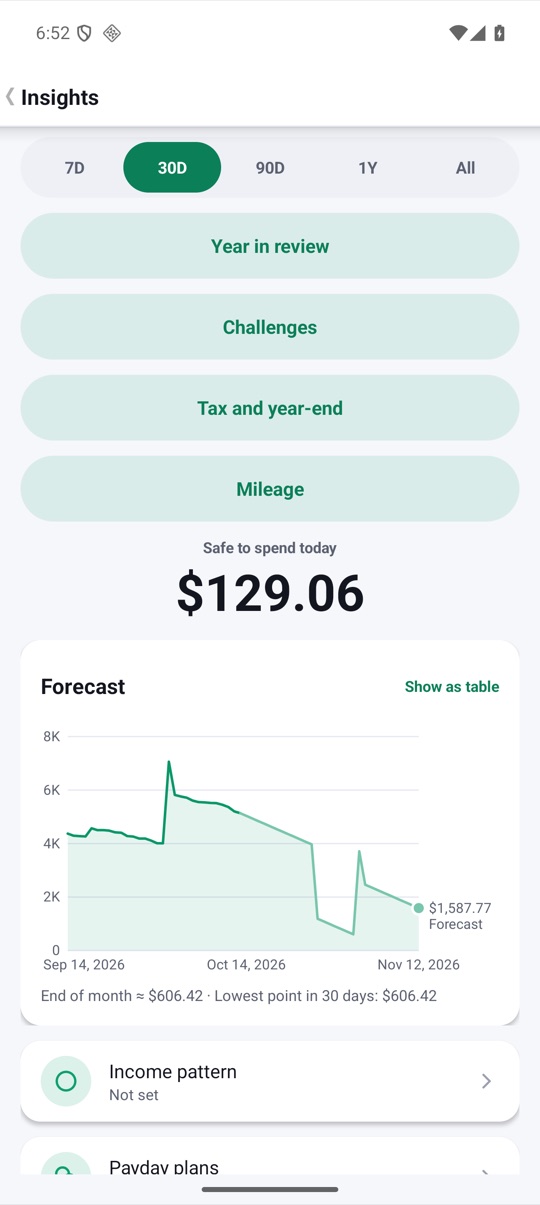
MoneyBook works out what's safe to spend today from your balances, recurring bills and card dues, and forecasts the month ahead.
- Safe to spend today, at a glance
- 7- and 30-day balance forecast
- Monthly recap with your biggest changes
Budgets
Every category,
under control.
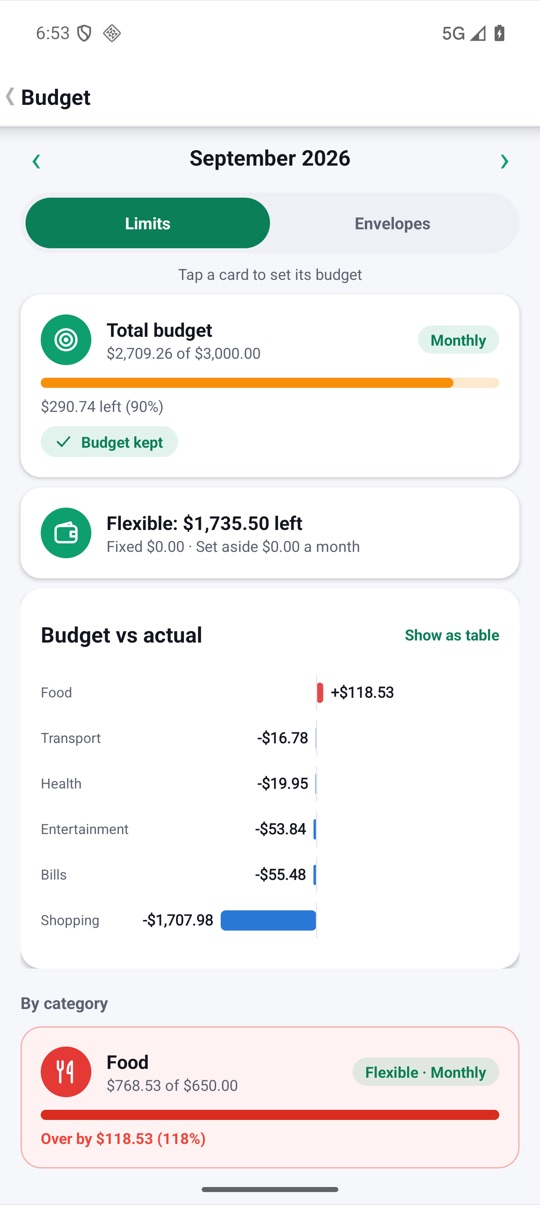
Weekly, monthly or yearly budgets per category, with gentle alerts at 80% and 100% and optional carry-over.
- Budget vs actual for every category
- Alerts before you overspend
- Multiple books for home, family or business
Goals & debts
Save for it.
Pay it back.
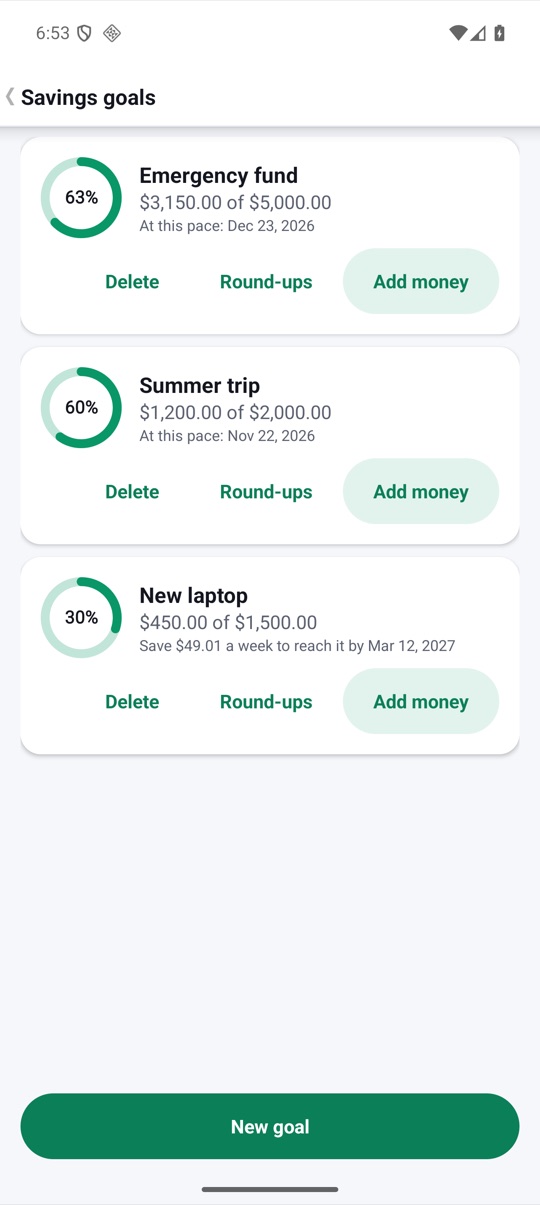
Savings goals with a target date and a weekly amount to put aside, plus loans, debts and bill splitting with friends.
- Savings goals with projected dates
- Lent and borrowed, with partial repayments
- Split a bill equally, by amount or by percent
Insights
Where it
all went.
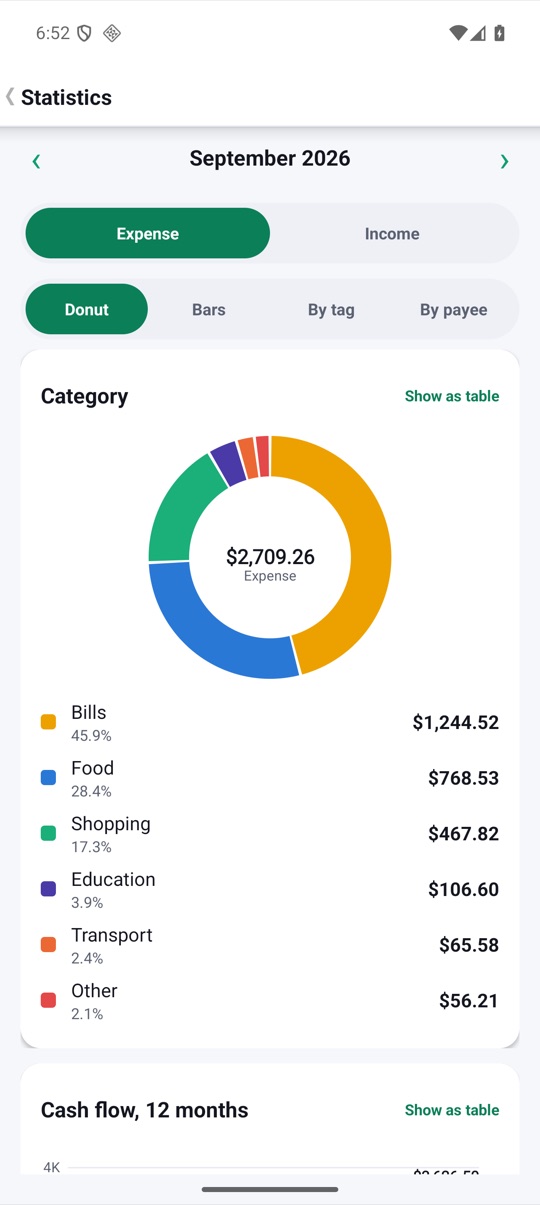
A clear donut by category, a 12-month cash flow and a calendar heatmap of your spending days.
- Category breakdown with drill-down
- Income vs expense trends
- PDF statements for any month
Organize
Your categories,
your rules.
Subcategories, split transactions and tags; rules that categorize for you; reconcile with your bank statement; a To review inbox; subscriptions with price-change alerts.
- Subcategories, splits and tags
- Rules and a To review inbox
- Reconcile and spot subscriptions
Together and abroad
Share a book,
travel with cash.
Pair with your partner once, then swap changes as an encrypted file and settle up. Abroad, cash pockets show what your money really cost, fees included. At year end, one pack for your accountant.
- Household book, settle up, no server
- Cash pockets and a live converter
- Tax and mileage pack with receipts
Plan around payday
Know what's coming,
before it lands.
Tell MoneyBook how you're paid, even if it's irregular, and safe to spend plans on what you can count on. Split each paycheck in one tap, skip or post bills early, and get a heads-up before an account dips.
- Income patterns and payday plans
- Schedules that skip, shift and match
- Low-balance alerts and a pace chart
And more
The small things,
done right.
30-day forecast
See the dip
before it happens.
Payday feels far away, but the tightest day usually comes first. MoneyBook projects your balance day by day and marks the lowest point.
- Starts from the balance you have today
- Adds income and subtracts bills on the days they land
- Highlights the lowest point before payday
Illustrative example.
Pricing
Pay once.
Own it forever.
No subscription, no ads, no bank fees. Buy MoneyBook once on Google Play and every feature is yours.
Everything included
- Unlimited accounts, books and budgets
- Forecast, goals, debts and bill splitting
- Import, export and PDF statements
- Wear OS companion
- Every future update
The price is shown on Google Play in your currency. Google Play's refund policy applies.
No catch.
Privacy
Your money data
stays on your phone.
No account to create and no bank to connect. Your balances, budgets and transactions are stored only on your device.
Nothing. MoneyBook has no internet permission. Backups and exports go only to the folder you choose, encrypted if you add a passphrase. Privacy policy →
Questions,
answered.
Does MoneyBook connect to my bank?
No. You add transactions yourself or import a CSV, OFX or QIF file exported from your bank.
Is there a subscription?
No. MoneyBook is a one-time purchase on Google Play, with no in-app purchases and no ads.
Can I import from another money app?
Yes. There are presets for common app exports, and a wizard for any CSV.
How does 'safe to spend' work?
It takes your balances, subtracts the bills and card payments due before your next income, and spreads the rest over the days left.
How do I back up?
Pick a folder once and MoneyBook writes encrypted backups there on a schedule. A cloud-synced folder keeps a copy off the phone.
Which devices are supported?
Android phones and tablets from Android 4.3, and Wear OS watches.