 MoneyBook
Safe to spend today and the 30-day forecast
How MoneyBook turns your balances, recurring bills and card dues into one daily number and a 30-day balance forecast, all on your phone.
Your bank balance answers one question: how much is in the account right now? It doesn't tell you whether rent leaves on the 1st, whether a card payment is due next week, or whether the money will last until payday. MoneyBook's Safe to spend today is our answer to that second question, in one number.
This post explains where the number comes from, where you'll see it, and how to read the forecast behind it.
What the number means
Safe to spend starts from the money you can actually use: your cash and bank balances. It subtracts the bills and card payments due before your next income. Then it spreads what's left over the days remaining. The result is a daily figure you can use without falling short before money comes in again.
It uses what MoneyBook already knows:
- Balances of your cash and bank accounts.
- Recurring transactions you've set up, such as rent, salary or subscriptions.
- Credit card dues. Each card has a statement day and a payment day, so MoneyBook knows when the next payment lands and roughly how much it will be.
- Your recent pace. Your average daily spending over the last 30 days fills in the days without a scheduled bill.
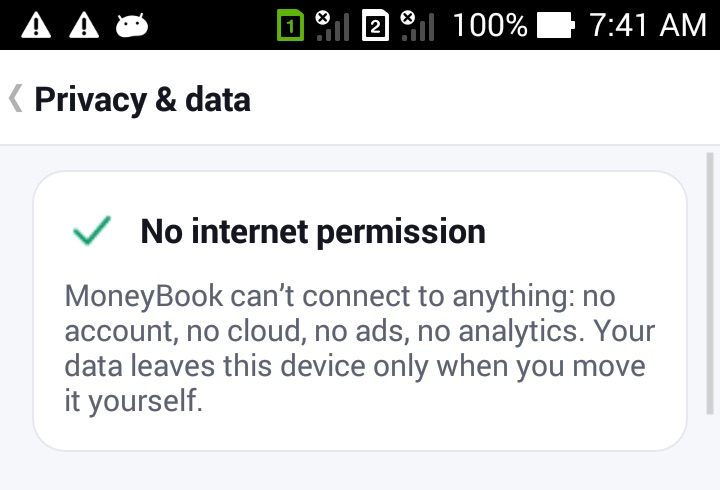
All of it is worked out on your phone. Nothing is sent anywhere, because MoneyBook has no internet permission.
MoneyBook is a record-keeping tool, not financial advice. Safe to spend and the forecast are estimates based on what you've entered. Check your real balances before making a big decision.
The forecast chart
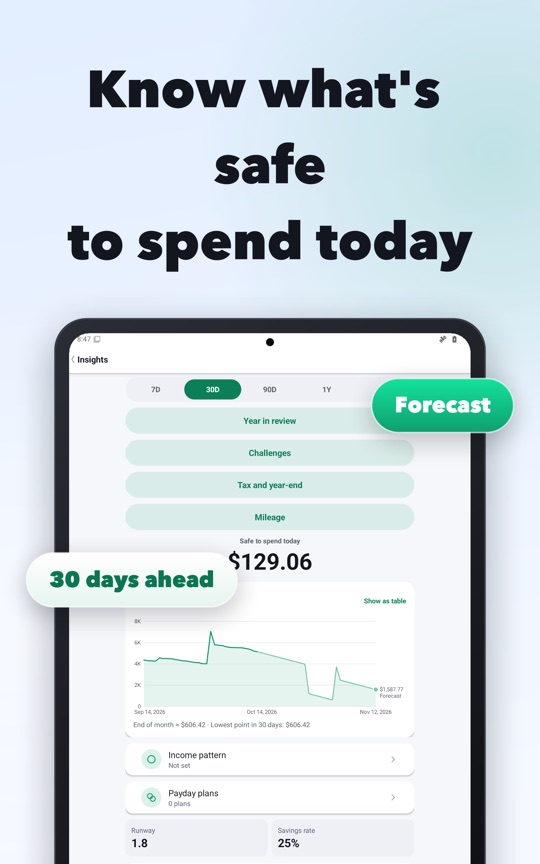
Open More › Insights to see the full picture. Under the Safe to spend figure is a balance line. The solid part is your real balance history. The lighter part marked Forecast projects the days ahead. Below the chart, MoneyBook shows the expected end-of-month balance and the lowest point in the next 30 days.
That lowest point is often the most useful number on the screen. Payday can feel far away, but the tightest day usually comes before it. If the forecast dips close to zero two days before your salary, you'll see it now, not on the day.
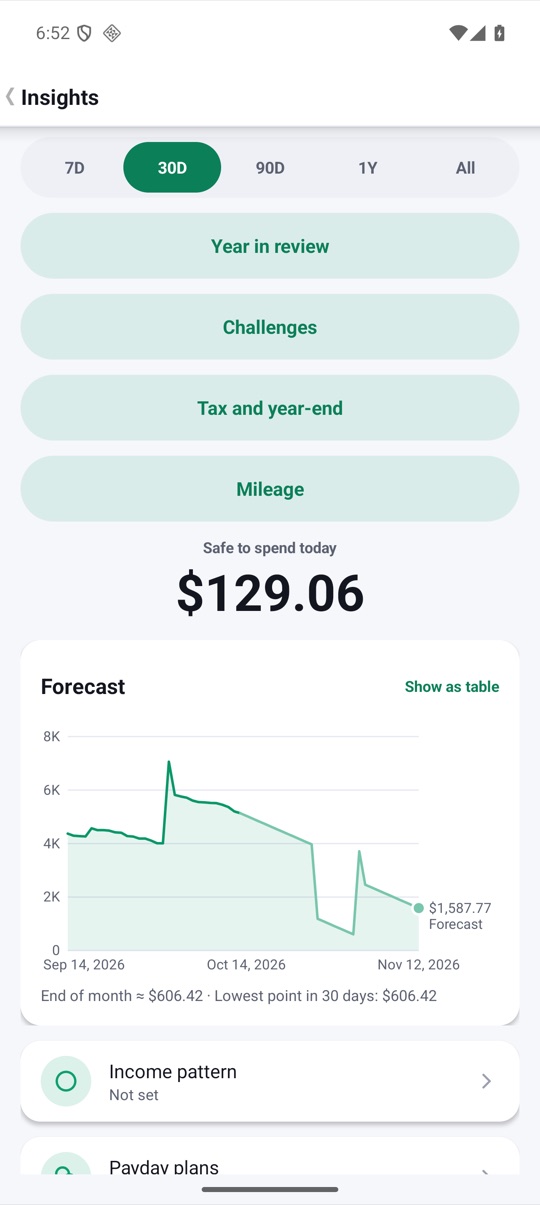
Some details that make the chart easier to use:
- A range row (7D, 30D, 90D, 1Y, All) changes the time window.
- Long-press the line and drag to scrub. A tooltip shows the date and the value of each series.
- Show as table turns any chart into plain rows, which helps with screen readers or when you want exact figures.
- Below the forecast you'll find expense and income tiles compared with last month, a monthly recap (for example your biggest day and top merchant), a daily-spending heatmap and a 12-month cash flow chart.
Where else you'll see it
You don't have to open Insights to check the number:
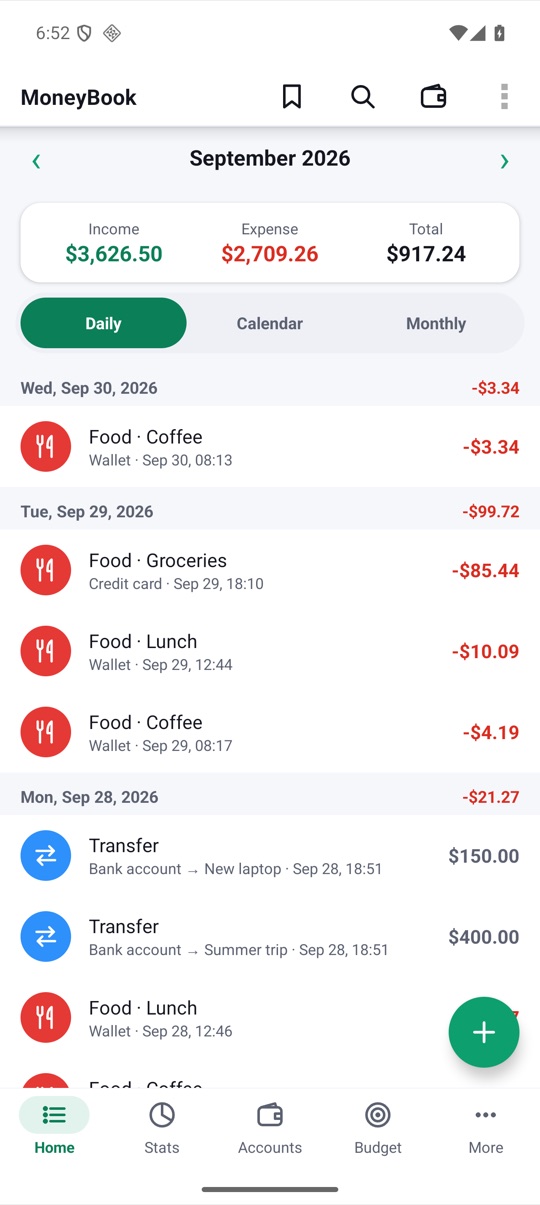
- Home. Under the month totals, a line reads, for example, "Safe to spend today $93.33 · End of month ≈ $1,932.07". It updates as soon as you save a transaction.
- Today notification. An optional, silent notification ("Today −$45.80 · Budget 62%") that you can also use to add a transaction. Turn it on under More › Today notification.
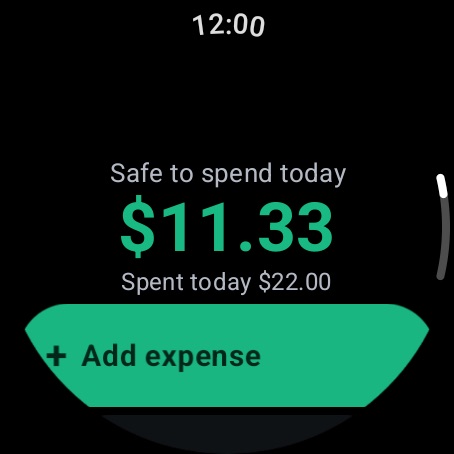
- Wear OS. The watch glance leads with Safe to spend today, and there's a tile and complications for your watch face.
The watch works it out a little differently, because it keeps its own ledger with no phone sync. It takes your monthly plan, subtracts what you spent before today, spreads the rest over the days left and subtracts today's spending. It never shows less than zero. The glance also shows your three tightest budgets and your last five expenses.
Making room on Home
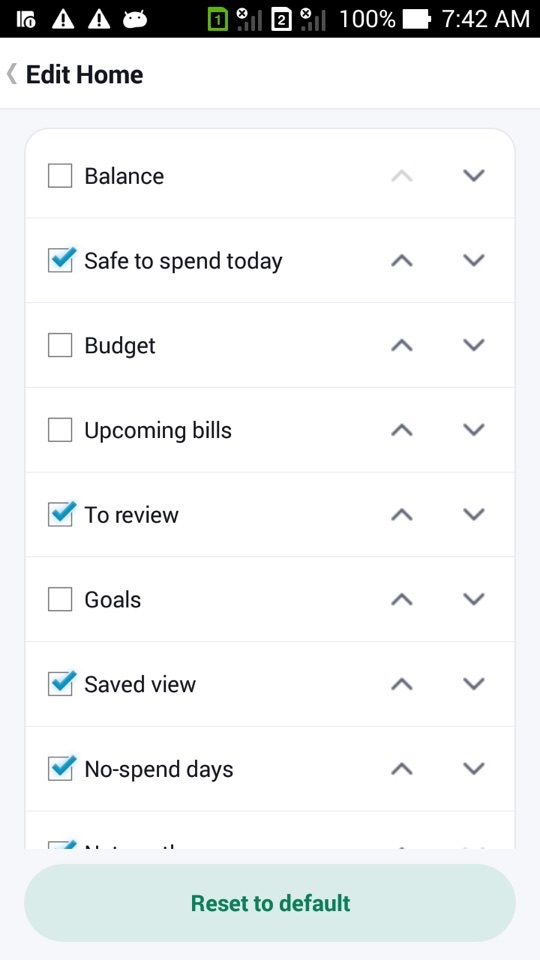
If Safe to spend is the number you care about most, put it first. More › Edit Home lets you show, hide and reorder the Home cards for each book, including Safe to spend, Budget, Upcoming bills, Goals and Net worth.
How to get an accurate forecast
- Make sure your cash and bank account balances in Accounts match reality.
- Add your regular income and bills as recurring transactions (More › Recurring).
- For each credit card, set its statement day and payment day in the account editor.
- Log your everyday spending for a week or two so the daily average means something.
- Open More › Insights and check the lowest point in the next 30 days.
- Optionally, turn on the Today notification or add the Wear OS tile so the number is always in view.
FAQ
Why is my safe-to-spend figure zero?
It can't go below zero. If your known bills and card dues before your next income are bigger than your available balance, the figure stops at zero. The forecast chart shows where the shortfall happens.
Do I have to set up recurring bills first?
No, the number works from day one. But without recurring items and card days, MoneyBook can only use your balances and recent spending pace. Every bill you add makes the forecast more realistic.
Is the forecast a prediction of my real bank balance?
It's an estimate from what you've entered: balances, recurring items, card dues and your recent pace. It will be off if you have bills MoneyBook doesn't know about. Treat it as a planning aid, not a bank statement.
Does the watch show the same number as the phone?
Not exactly. The watch keeps its own ledger with no phone sync and works from your monthly plan. Both are worked out on the device.