 MoneyBook
Travel cash pockets and the currency converter
Track foreign cash at what it really cost you, fees included, see prices in your home currency as you type, and keep each trip's spending together.
Travel money is confusing. You change $200 at the airport and pay a fee. Later you take more cash from a machine at a different rate. By day four you have a handful of euros and no idea what that dinner actually cost you in dollars.
MoneyBook has three features that work together abroad: cash pockets for foreign cash, a converter on the amount field, and events to keep a whole trip's spending together. All of it works offline, which helps when you've switched off roaming.
MoneyBook is a record-keeping tool, not financial advice. Exchange rates in MoneyBook are the ones you enter or record, not live market rates.
Multi-currency basics
Every account in MoneyBook can have its own currency. You set your main currency under More › Main currency and your own exchange rates under More › Exchange rates. Net worth, totals, stats and budgets are converted to your main currency, and transfers between currencies are converted on both sides.
That covers a foreign bank account. Cash is different, because what it cost depends on how and when you got it.
Cash pockets: what your cash really cost
A cash pocket is an account type for foreign cash. Create one under Accounts › Add account and choose the Cash pockets group. Then each time you get local cash, tap Record exchange and enter:
- Paid from: the account the money came out of.
- You gave (before fees): the amount in your home currency.
- Fee: what the exchange office or machine charged.
- You got: the local cash you walked away with.
From then on, every expense you pay from the pocket is valued at what that cash actually cost you, fees included. MoneyBook keeps each exchange as a separate lot and spends the oldest cash first. So if your first $100 bought euros at one rate and a later cash withdrawal came at another, each euro is valued at the rate you really paid for it.
The pocket's card shows:
- Cash left in the local currency.
- Your effective rate, for example "EUR1.00 cost you $1.10".
- Exchange fees so far.
- About how many days of cash are left at your current pace.
- What exchanging the rest back would give you, and the loss compared with what it cost.
If you spend more than the pocket held, perhaps because you forgot to record a withdrawal, MoneyBook doesn't block you. It flags the pocket and asks you to record the exchange you made. Until then, the extra is valued at the last rate.
The converter on the keypad
When you add an expense in a foreign-currency account, MoneyBook shows the home-currency equivalent right under the amount as you type: enter 12.5 in a euro account and "≈ $13.50" appears instantly. Tap the converted figure to type the price in your home currency instead.
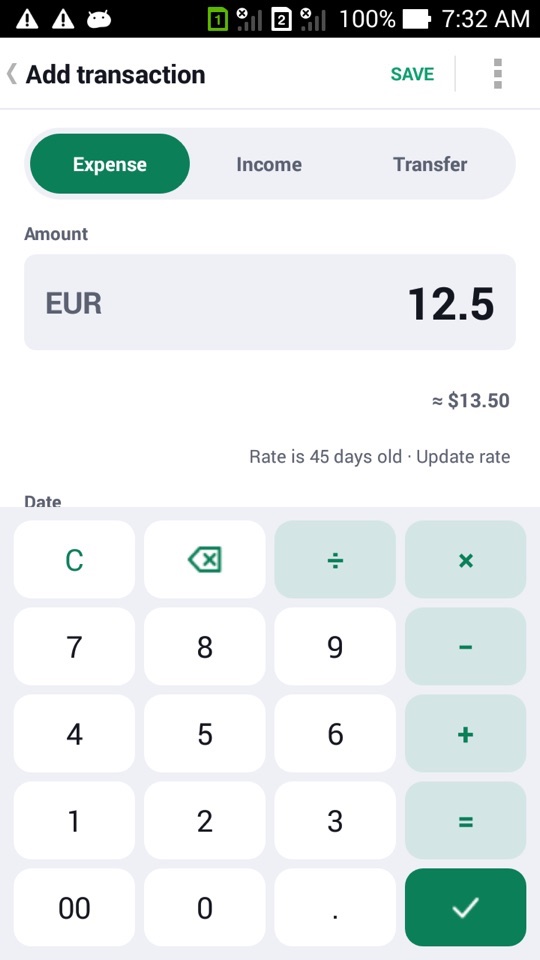
Because MoneyBook never goes online, rates are the ones you enter. The converter says how old the rate is. When it's getting stale, a small inline hint offers Update rate. It's a line of text, not a pop-up. If you know the rate is fine, you can dismiss the hint for that currency for seven days. MoneyBook keeps a history of the rates you've entered, and amounts can be rounded to the smallest cash unit each currency actually uses.
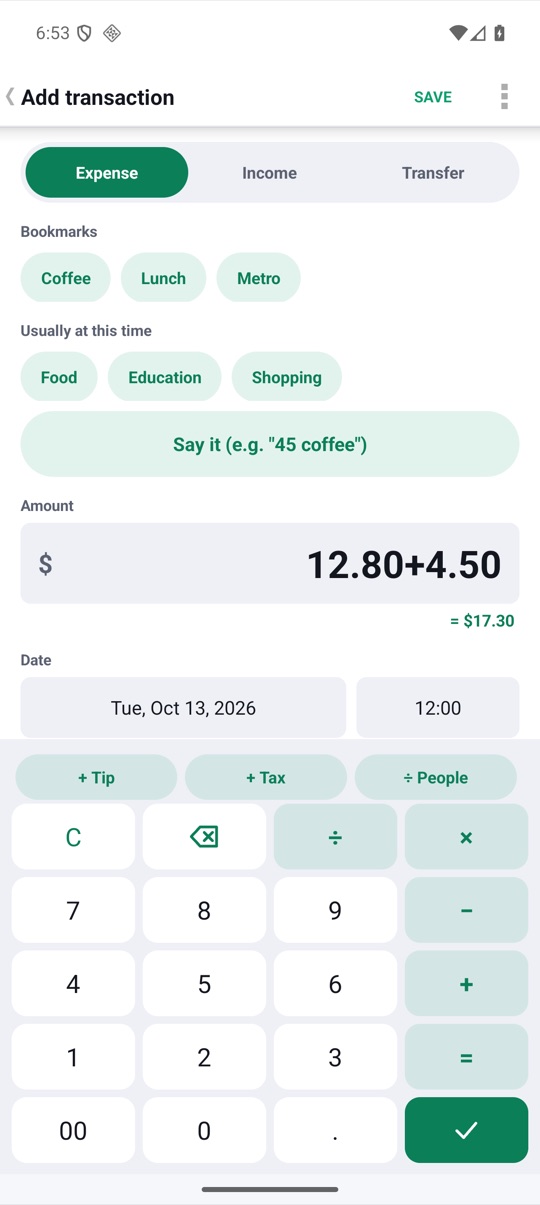
Keep the whole trip together with events
Under More › Events and trips, create an event with start and end dates, such as "Lisbon, 10–17 October". While an event is active, MoneyBook tags new transactions to it automatically ("Auto-tag on"). The event card then shows the trip's total and a stacked bar by category, so you can see where the holiday money went.
How to set up a trip
- Before you leave, open More › Exchange rates and enter the rate for your destination's currency.
- Go to Accounts › Add account, pick the Cash pockets group and give the pocket a name and currency.
- When you change money, open the pocket and tap Record exchange. Enter what you gave, the fee and what you got.
- Create an event under More › Events and trips with your travel dates, so new spending is tagged to it automatically.
- Pay for things from the pocket as usual. Watch the "≈" line to see each price in your home currency.
- Before you fly home, check the pocket card to see whether exchanging the leftovers back is worth the loss.
FAQ
Does MoneyBook download exchange rates?
No. It has no internet permission. You enter rates yourself, and a cash pocket learns its real rate from the exchanges you record. A hint reminds you when a rate is getting old.
What does "days of cash left" mean?
It's a rough estimate: the cash left in the pocket divided by how fast you've been spending from it. It's a guide, not a promise.
Can I have more than one pocket?
Yes. A pocket is an account, so you can have one per currency, or one per trip.
Does the watch show my pocket balance?
Not yet. The Wear OS app keeps its own ledger and doesn't sync with the phone, so pockets and the converter are phone-only for now.