 MoneyBook
Household sync without a server
Share a MoneyBook book with your partner by swapping small encrypted files. No account, no server, plus a Settle up screen for shared costs.
Sharing money with a partner is one of the most common reasons people look for a budgeting app. Almost every shared money app does it the same way: both of you create accounts, and a company's server keeps your books in sync.
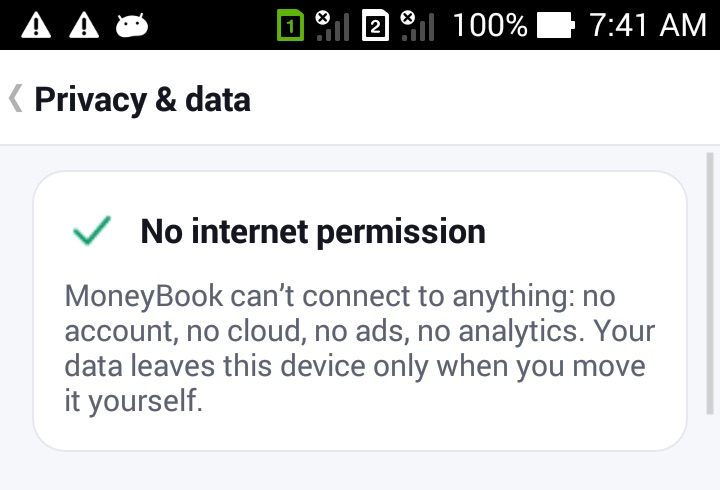
MoneyBook has no internet permission, so it can't do that. Instead, a household pairs two phones once with a code. After that, you swap small encrypted files containing only what changed. This post explains how that works, what it shares and what it doesn't, and how Settle up keeps track of who owes whom.
MoneyBook is a record-keeping tool, not financial advice. Settle up shows balances based on what you both enter. Agree on your own split rules.
How a household works
A household belongs to one book, for example a "Family" book next to your "Personal" one. You find it under More › Household.
- Pair once. One of you taps Start a household. MoneyBook shows a pairing code, as text and as a QR code generated on the phone. The other person taps Join with a code and types the code or reads it from the QR. Keep the code private: it's what lets the two phones read each other's files.
- Send changes. After adding things, tap Send changes. MoneyBook creates a small file with the rows that changed since your last exchange and opens the share sheet. Send it however you like: Nearby Share, Bluetooth, a messaging app or a cable.
- Receive changes. Your partner opens the file with Receive changes, or simply opens it from the message. MoneyBook merges it and reports what happened, for example "Received: 12 changes, 1 edited on both phones".
The file is compressed and encrypted with AES-GCM using your pairing key, and it carries a seal that MoneyBook checks before reading anything. A file from someone outside the household, or one that was changed on the way, is rejected with "This file isn't from your household, or it was changed on the way."
Because MoneyBook only writes a file and lets you send it, no server ever sees your data, and neither does MoneyBook's developer.
What happens when you both edit the same thing
Each changed row carries a timestamp and the phone it came from. When files are merged, the newer edit of each row wins. Deletions are kept as markers, so a deleted transaction doesn't come back from an older file. Receiving the same file twice changes nothing, and files can arrive out of order.
If you both edited the same transaction between exchanges, MoneyBook keeps the newer edit and lists it under Edited on both phones ("Kept the newer edit: …"), so you can check it together instead of finding out later.
What syncs, and what stays on each phone
Shared between the two phones:
- Accounts
- Categories
- Transactions
- Tags
Kept on each phone:
- Receipt photos
- Split lines within a transaction
- Budgets
Budgets stay personal on purpose: each of you can plan differently from the same shared ledger.
Settle up
In a household book, each expense has a Shared with … checkbox. Tick it and choose how to split it: 50/50, 60/40, by income, or a custom split. For "by income", you enter both monthly incomes once and MoneyBook works out the ratio.
More › Household › Settle up then shows one line at the top, such as "Anna owes you $27.50", or "You're all square". Below it you'll see this month's shared total, your part of it, and the list of shared expenses behind the number (who paid, the split and the date). When one of you pays the other back, tap Record settlement and the balance resets.
Settle up depends on both phones knowing who paid what. If your partner's expenses haven't arrived yet, MoneyBook asks you to receive a file from them first.
Splitting with friends
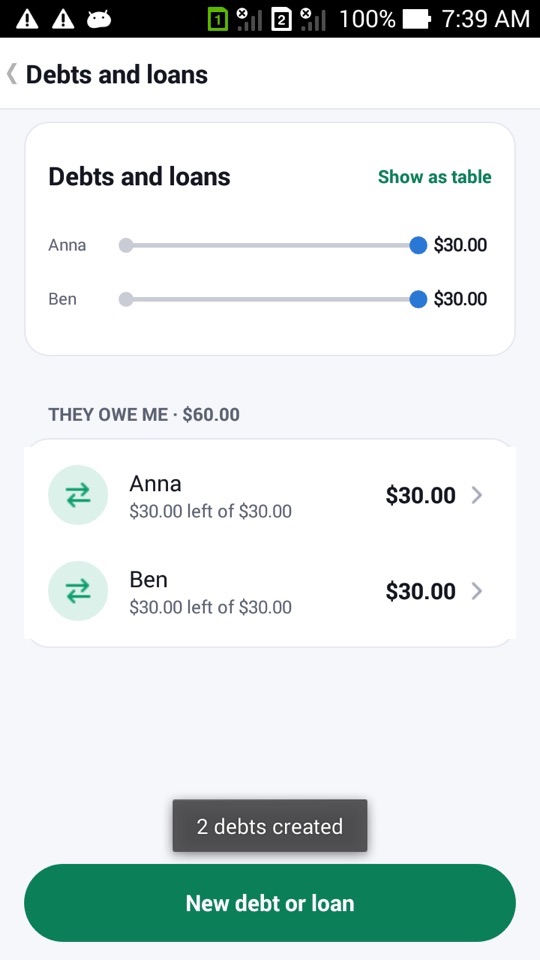
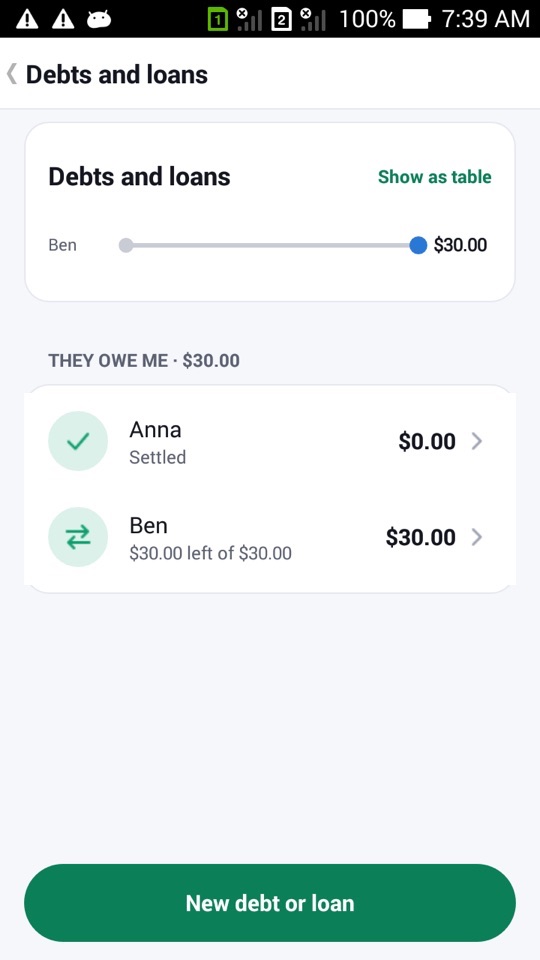
For people outside your household, such as friends at dinner, there's a lighter tool. On any expense, More › Split bill splits it equally, by amounts or by percent. MoneyBook creates an "owed to me" debt for each person, linked to the transaction. These show up under More › Debts and loans, where you record repayments or tap Settle in full.
How to share a book with your partner
- Create a book for shared money with the wallet icon on Home, for example "Family".
- With that book open, go to More › Household and tap Start a household.
- On your partner's phone, install MoneyBook, open More › Household and tap Join with a code. Enter the code or read the QR.
- Add a shared expense and tick Shared with …, choosing the split.
- Tap Send changes and send the file to your partner.
- Your partner taps Receive changes (or opens the file), then sends their changes back the same way.
- Check Settle up at the end of the month and tap Record settlement when you've paid each other.
FAQ
Do we need to be online or on the same Wi-Fi?
No. You can send the file any way you like, including Bluetooth or a cable. MoneyBook itself never connects to anything.
What if someone else gets hold of a change file?
They can't read it without your household's pairing key, and MoneyBook rejects files that were changed on the way. Keep the pairing code private.
Why aren't our budgets shared?
Budgets, receipt photos and split lines stay on each phone. The shared part is the ledger itself: accounts, categories, transactions and tags.
Can a household have more than two phones?
A household pairs you with one partner. If you stop sharing, Leave household turns it off on that phone and keeps everything already there.